I designed and launched André AI, a SaaS that turns any brand into on-brand visuals, content and sales campaigns.
The idea. One engine, from visual to sale.
The problem
Small brands need content and clients every week. Agencies are expensive, tools are scattered, and AI image tools don't respect the product.
The answer
One platform that creates on-brand visuals and videos, plans the content, finds the leads and writes the emails.
THE PAIN, TESTED ON EXISTING TOOLS
→ the product isn't respected, and every variation is a gamble
Inside the app.
One dark, editorial interface for the three jobs: create, distribute, sell.
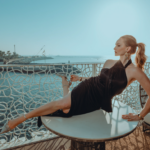
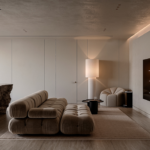
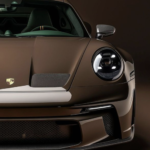
Made with André AI. On-brand, series after series.
André AI understands your brand. A whole series stays consistent, and a variation changes only what you ask for.
What I did, as a founder.
- 01Spotted the gap
Brands pay for visuals, content and leads separately. I turned my studio's services into one engine.
- 02Scoped a lean MVP
The minimum set of features for three core jobs: create, distribute, sell.
- 03Interviewed potential clients
Expectations, current workflow and reactions to the concept, before building.
- 04Replaced the prompt with clicks
Users pick visual elements in a few clicks. No prompt to write.
- 05Wrote the hidden prompt library
Built like a photo shoot in six layers, each one a click for the user.
- 06Designed a no-friction userflow
From landing page to dashboard, with a guest mode to feel the value before signing up.
- 07Made the brand stick
Series and variations stay on-brand, where generic AI tools drift.
- 08Built and shipped it myself
With Base44 and AI models, from idea to live product without a dev team.
From agency to product.
→ what took a team and a week becomes a few clicks
MVP first, three core jobs.
I focused my energy on the MVP: the minimum set of features to cover the three jobs a brand needs every week. Everything else waited.
JOB 01
Create visuals
Product shots, editorials, portraits and architecture, always on-brand.
JOB 02
Distribute on social media
Turn visuals into a feed, posts and a calendar, ready to publish.
JOB 03
Find leads, send cold emails
Find and enrich prospects, write personal emails, follow up in a simple CRM.
IN THE MVP
- Create on-brand visuals
- Plan and post on social media
- Find leads and send cold emails
LATER
- AI Video: realistic reels in a few clicks
- Advanced editing tools
- More integrations
- Team workspaces
Built for real clients, not for everyone.
I designed from the needs of current Blvck Studio clients and prospects. Each segment got its own scenes, presets and examples.
Packshots, texture close-ups, hand-held product.
Project visuals and moody interiors for portfolio and social.
Catalog shots and lifestyle scenes, without a photo shoot.
Editorials and model shots in a consistent art direction.
Talking to clients, before building.
I led interviews with potential clients to understand their expectations and their current workflow, and to watch their reactions to the concept.
EXPECTATIONS
- What they need every week
- What they would pay for
CURRENT WORKFLOW
- How they make content today
- Where it takes time and money
CONCEPT TEST
- First reactions to André AI
- The features that sparked the most interest
WHAT THEY LOVED
André AI tells me what to post on Instagram, and when to post it.→ Marketing Suite: feed planning and editorial calendar
Realistic reels of my own products, in a few clicks.→ AI Video, on the roadmap
→ their words shaped the MVP and the roadmap
Clicks, not prompts. The magic stays backstage.
Writing a good prompt is a skill most users don't have. So users just select visual elements in a few clicks, and André AI builds the expert prompt behind the scenes.
WHAT THE USER SEES
WHAT THE AI RECEIVES hidden
IDENTITY ANCHOR (strict): use the person from the reference photo. Keep exact facial features, skin tone, hairstyle. No beautification.
1. SCENE & COMPOSITION Deep emerald to dark teal smooth gradient. Straight-on eye-level shot. Tight medium close-up.
2. WARDROBE & STYLING Sharp black turtleneck. Confident, calm expression, eyes slightly past the lens. Natural skin texture.
3. LIGHTING Strong side key light, modern chiaroscuro. Subtle fill. Thin cold rim light. Mood: luxury editorial.
4. TECHNICAL QUALITY Ultra-photorealistic. 85mm, f/2. 8K, high dynamic range. Cinematic grading. No text, no logos.
→ one library of prompts, one per choice, written and tested by me
Prompts built like a photo shoot.
To make the hidden prompts reliable, I studied art direction methods for AI imagery and turned their principles into the product.
AI learns how things usually look. A vague idea gives a generic image, so every prompt is built like a photographer plans a shoot, layer by layer. Each layer became a choice in the interface.
The story and the goal of the image.
Who or what, described precisely.
The brand palette and the textures.
Framing, angle and space.
Where the light comes from, and the feeling.
The technical look of a real shoot.
→ six clicks for the user, one complete brief for the AI
Never from a vague idea. Every scene in the library starts from a precise visual intent.
Color emotions, one consistent style and recurring elements, saved as Brand Presets so every visual looks like the same brand.
Packshot, product hero, editorial, lifestyle, interior: each goal has its own scene recipe.
Generic AI content looks the same everywhere. Strong art direction is what makes a brand recognizable.
Keep identity and real textures; no plastic skin, no text, no logos. The same rules in every prompt.
Each recipe was tested, fixed and tested again before it reached users.
A userflow with no friction.
I mapped every path from the landing page to the dashboard to remove friction and raise conversions.
WHY GUEST MODE
- Users feel the “wow” before any form
- Sign-up comes when the visual is already made
WHY THIS ORDER
- Returning users log in straight to their workspace
- Plans and payment in two steps, then straight to work
From agency services to a product anyone can use: on-brand visuals, content and clients, in one place.
Next project
Sporty & Rich →